AI photo doodles for iPhone
Give your photos
something to say.
Add doodles and handwritten-style captions inspired by your photo. Choose a look, generate your edit, and save the result.
In-app purchases. You may still see Doodlify on the App Store as we change our name.
The everyday, with a twist
A little extra
personality.
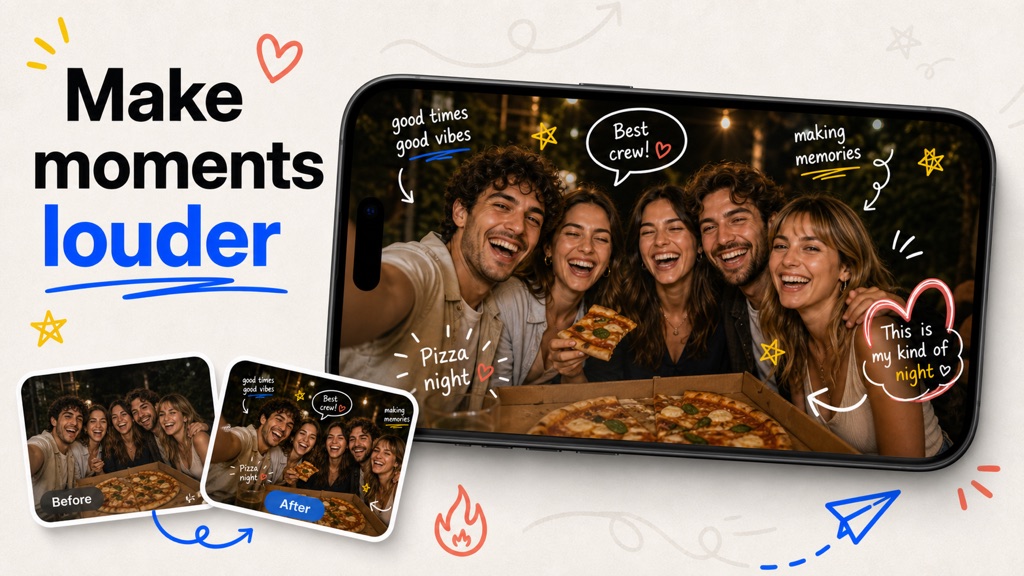
The trip. The group photo. That lunch you photographed before taking a bite. See what a few doodles can add.
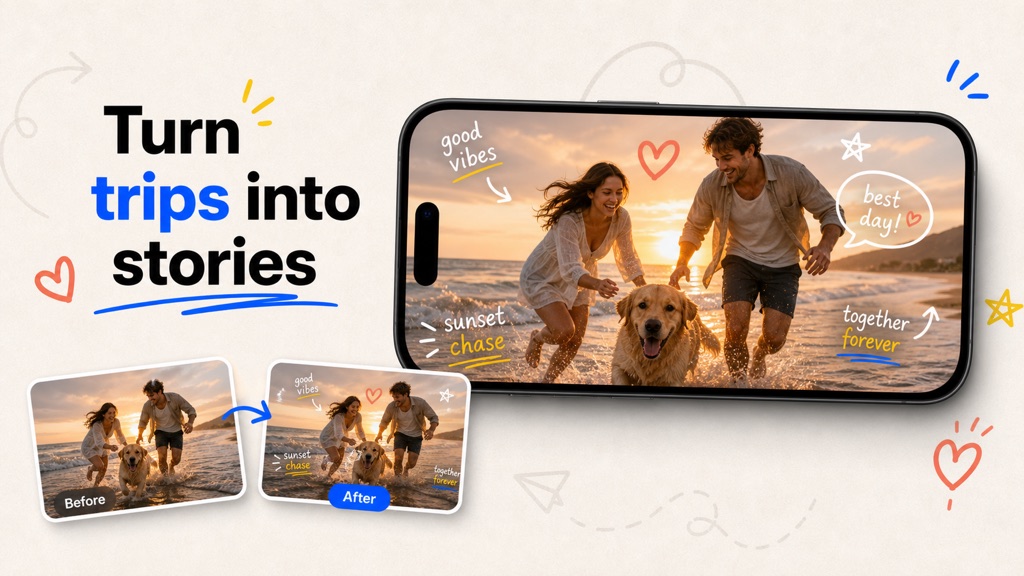
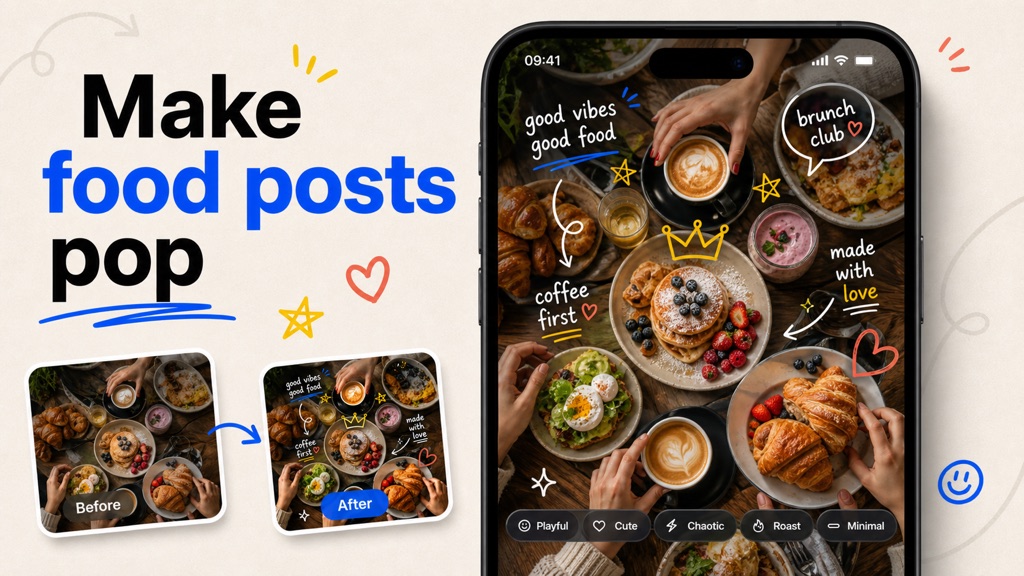
Illustrative style previews from the app’s promotional artwork. These compositions show creative possibilities; individual AI edits vary.
From camera roll to character
Three steps.
Your kind of photo.
No brushwork required. Start with a photo and let the AI suggest the details.
Pick your photo.
Choose a picture from your library. A friend, a pet, a place, or an ordinary moment worth keeping.
Set the mood.
Choose a look. Add a little context if you want, then generate your doodle edit.
Find your favorite.
Compare the result with your original. Save it to Photos or share it when you’re happy with it.
Room for your own taste
Same photo.
Different mood.
Keep it understated or add more energy. Available styles and controls let you explore different takes on the same moment.
Choose the mood before generating.
Give the AI a hint about the moment.
The generated edit stays separate.
AI wording and image details can vary.
Controls depend on your installed version. Each successful edit or refinement uses credits.
Good to know
A few clear answers
before you start.
Edits use credits.
Find current packs and subscription options in the app. Check the price and allowance before confirming a purchase.
Generation happens online.
You choose the photo and whether to send it for AI processing. Your optional context goes with it.
The practical details
Before your first edit.
What does Doodiva do?
Doodiva uses AI to add doodles and handwritten-style captions to a photo you choose. Select a look, generate an edit, and compare the result before saving or sharing.
Do I have to draw anything?
No. The AI generates the decorative edit. Choose a style and, where available, add context such as the occasion or mood you have in mind.
Can I move each doodle myself?
Doodiva creates a generated image. It does not provide separate doodle layers or a manual brush canvas. For exact arrows, handwriting or placement, use a manual tool such as iPhone Markup.
Will it change my face or my original photo?
Your original photo stays separate from the generated edit. The AI is instructed to preserve the photographed scene, but details in its output can change. Compare the result with your original before sharing.
Can I choose the exact caption?
Context can guide the edit, but the AI generates the final wording and placement. Exact text is not guaranteed.
How much does an edit cost?
Successful edits use credits. Check the app for the current purchase options and prices in your region. A successful refinement is another generation and uses another credit.
Are my photos processed online?
Yes. Generation requires an internet connection. After you agree, your selected photo and any optional context are sent through Appy Labs backend services to an AI processing provider, including fal.ai. Read the privacy page for more details.
A photo. A little personality.
Start with a photo
you already love.
Download for iPhoneIn-app purchases. Internet required for generation.